
Why Mockups Are Important in Digital Product Design
A clear visual plan keeps digital product design simple and controlled. Mockups help teams see the final look before any build starts. Designers use mockups to show real screens with exact colors, text style, and spacing. This makes mockups important because they reduce confusion, limit mistakes, and help teams agree on design choices early.
Mockups support designers, developers, and stakeholders during planning. Teams review visuals together and share feedback with full clarity. Early review saves time and avoids large design changes during development.
You may also like:
100+ iphone Mockups Free
5 Best Free Mockup Websites 2026
What Is a Mockup?
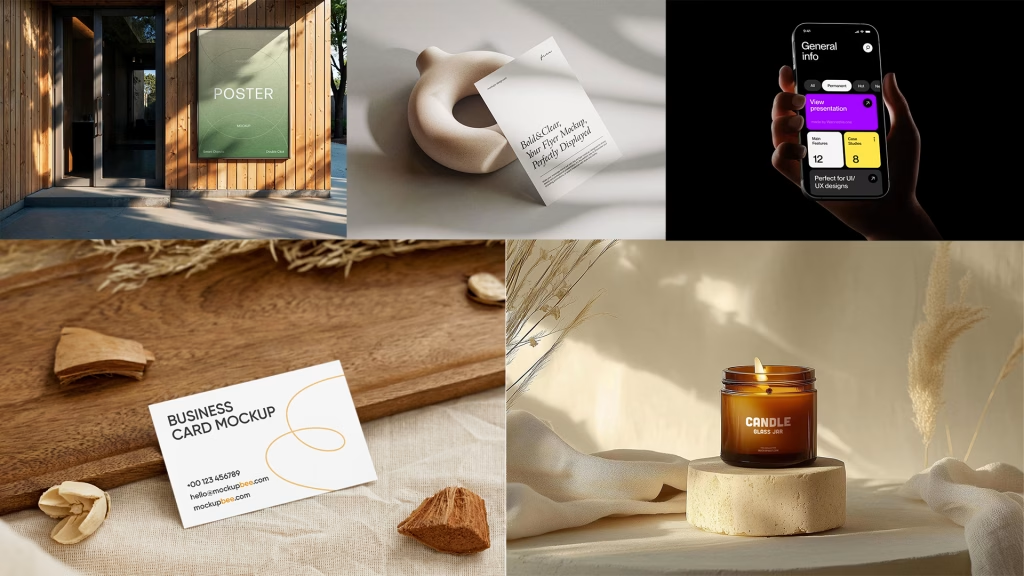
A mockup is a static visual display of a digital product screen. It shows layout, colors, typography, spacing, and overall visual style. Wireframes show structure only, but mockups show how the final interface looks on a real screen. Mockups do not include clicks or motion, yet they give a clear preview of the finished design and help teams confirm visual direction before development begins.
Types of Mockups in Digital Product Design
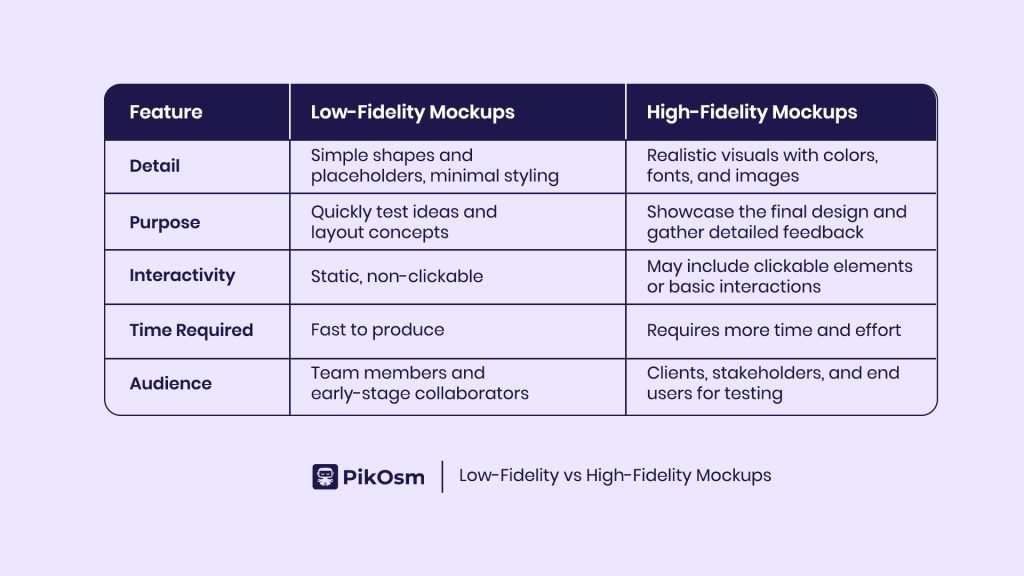
Digital product design uses two main mockup types called low fidelity mockups and high fidelity mockups. Each type serves a clear role during different stages of a project and helps teams make better design decisions with clarity.
Low Fidelity Mockups
Low fidelity mockups show basic layout, structure, and screen flow. They avoid colors, custom fonts, and detailed visuals. Designers create these mockups fast to test ideas, compare layouts, and find usability problems early. Teams change these mockups easily, which supports quick feedback and steady progress without wasting time or effort.
High Fidelity Mockups
High fidelity mockups show the near final look of a product. They include exact colors, text styles, images, spacing, and screen details. Designers use these mockups to show how the product looks on real devices. Teams rely on them for reviews, approvals, and user testing because they show clear visual direction and guide development work with accuracy.
Why Mockups Matter in Digital Product Design
Mockups connect ideas to a real product view. They show how a product will look, feel, and work before development starts. Designers spot layout issues, adjust visuals, and refine screens early. This reduces mistakes and saves time and resources during development.
Mockups improve teamwork and communication. Teams discuss colors, text style, and screen layout clearly when they see a realistic version. Clients and stakeholders understand the product better and feel confident about the result. By aligning everyone around one visual direction, mockups help projects stay organized and deliver smooth user experiences.
Tools for Creating Mockups
Using the right tool makes mockup creation faster and easier. Figma allows real-time collaboration, helping teams design and share feedback instantly. Sketch is simple and works well for high fidelity visuals, especially on macOS. Adobe XD connects with Adobe Creative Cloud and offers both mockup and prototype options. Choosing a tool depends on project needs, team collaboration, and how quickly designs need to change. The right tool helps designers show ideas clearly and keep teams aligned.
Best Practices for Creating Effective Mockups
Mockups must focus on clarity, usability, and communication. They should show ideas clearly, test assumptions, and guide teams.
Define Clear Goals
Know what the mockup should achieve. Test layouts, flows, or visual style to make feedback useful and design decisions precise.
Focus on Fidelity at the Right Stage
Use low fidelity mockups early to explore layouts and flows. Use high fidelity mockups later to show exact colors, fonts, images, and screen details. Correct fidelity at each stage saves effort and avoids unnecessary work.
Choose the Right Tools
Pick tools that fit the workflow. Figma works for live collaboration. Adobe XD and Sketch work well for detailed screens and interactions. The right tool keeps designing, sharing, and iterating smooth.
Gather Feedback Early
Share mockups with teams, stakeholders, and users early. Feedback helps fix issues, improve usability, and align designs with real needs.
Keep It Simple
Focus on main elements. Avoid extra details that distract from the design. Simple mockups are easier to review, understand, and improve.
Final Thoughts
Mockups turn ideas into clear and testable visuals in digital product design. They help teams spot problems early, improve communication, and keep everyone focused on the project direction. Low fidelity mockups explore layouts and concepts, while high fidelity mockups show exact colors, text, and details. Using mockups well makes development smoother and the final product easier for users to understand and use.
Including mockups in the design process saves time, prevents costly changes, and helps create designs that meet user needs effectively.


